
Wear OS by Google
Screenshots
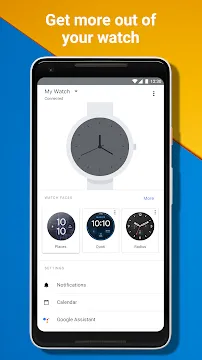
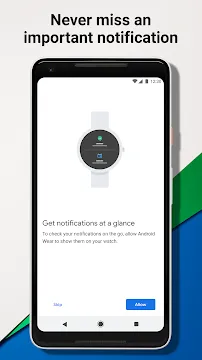
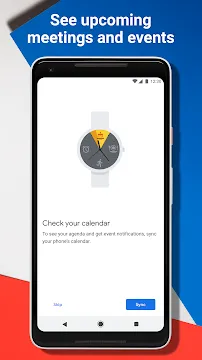
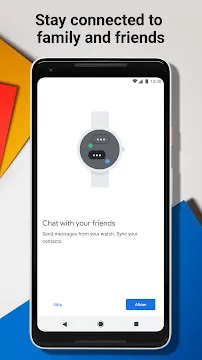
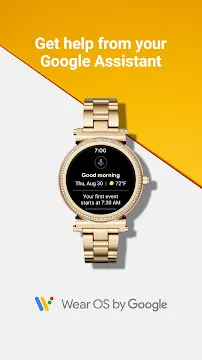
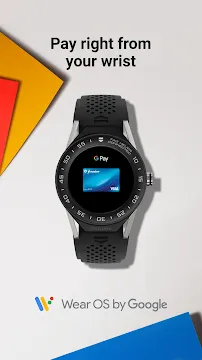
Wear OS by Google Smartwatch is the companion application that connects your wristwear to your mobile device. It allows you to manage your wearable experience directly from your phone screen. This application simplifies the setup process for new watches. It also ensures that your notifications and data stay synchronized throughout the day. By using this software, you can customize your watch faces and organize your favorite tiles. It provides a bridge between your smartphone and your wearable hardware.
The interface is clean and focuses on ease of use. You can quickly adjust settings without digging through small menus on the watch itself. Whether you want to track your fitness or receive quick message alerts, this app handles the heavy lifting. It works in the background to keep your connection stable and secure. Millions of users rely on this platform to stay connected while on the move.
Getting started with Wear OS by Google Smartwatch
Setting up your new wearable is a quick and painless task. First, you must download the application to your mobile device. Once you open the app, it will guide you through the pairing process using Bluetooth. You should keep both devices close together during this initial sync. The app will detect your watch and ask for permission to share data. After you confirm the pairing code, the two devices become a single integrated system.
The application allows you to choose which accounts to sync with your watch. You can link your calendar, email, and fitness data in just a few taps. It also checks for the latest software updates to keep your watch running smoothly. Regular updates often include new features and better battery optimization. This setup phase ensures that your watch is ready to help you navigate your day immediately.
Customizing your Wear OS by Google Smartwatch experience
Personalization is a major benefit of using this platform. You can browse hundreds of different watch faces directly within the app. Some faces focus on classic elegance, while others display raw data like step counts and heart rates. When you select a new design in the app, it appears on your wrist instantly. This allows you to match your watch to your outfit or your current activity.
Beyond aesthetics, you can also manage your “Tiles.” Tiles are the screens you see when you swipe left or right on your watch. They provide quick access to the weather, your workout goals, or your next meeting. The app lets you reorder these tiles so your most important info stays at the front. You can also:
- Change the layout of your app drawer.
- Configure button shortcuts for specific actions.
- Adjust screen brightness and “Always-on” display settings.
- Set up specific sound and vibration patterns for alerts.
Managing notifications on Wear OS by Google Smartwatch
Staying informed without looking at your phone is the main goal of a wearable. The application gives you granular control over your notifications. You can decide which apps are allowed to send alerts to your wrist. This prevents your watch from vibrating constantly with unimportant updates. By filtering your notifications, you stay focused on what truly matters.
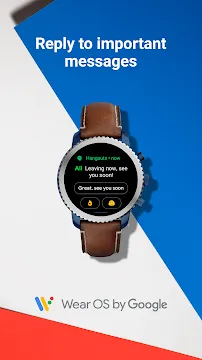
You can also set up quick replies for messages. When someone texts you, you can respond with a simple tap on your watch. The app stores these responses and allows you to customize them to fit your speaking style. Furthermore, you can silence specific alerts during your work hours or sleep time. This synchronization ensures that your watch respects your personal boundaries while keeping you in the loop.
Health and fitness tracking features
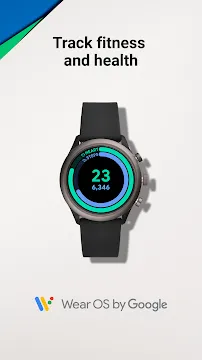
Tracking your physical activity is a core part of the wearable experience. The app integrates with fitness services to log your daily progress. It records your steps, heart rate, and sleep cycles automatically. You can view detailed charts of your activity levels over weeks or months. This data helps you understand your habits and motivates you to reach your health goals.
The software also supports various workout modes. Whether you are running, swimming, or cycling, the app tracks your distance and pace. It uses the GPS on your watch or phone to map your routes accurately. You can even set reminders to move if you have been sitting for too long. These health features turn your watch into a personal coach that lives on your wrist.
Maximizing battery life and performance
Battery management is essential for any wearable user. The application provides a clear view of your watch’s battery percentage and usage history. You can see which apps are consuming the most power. If you need your watch to last longer, you can enable battery-saver modes through the app interface. This disables non-essential features to extend the runtime of your device.
Performance remains high when you keep your storage organized. The app allows you to see how much space is left on your watch. You can uninstall apps that you no longer use to free up memory. This keeps the watch interface snappy and responsive. Regularly clearing out old data ensures that your wearable performs like new for a longer period.
Troubleshooting your wearable connection
Occasionally, you might experience a disconnect between your devices. The application includes several tools to help you reconnect. You can restart the Bluetooth bridge or refresh the sync settings with one button. Most connection issues happen due to distance or signal interference. Moving the devices closer together usually solves the problem.
If you encounter software glitches, the app can reset your watch to factory settings. This is a last resort, but it often fixes deep-rooted issues. Always make sure that your phone’s battery optimization settings are not killing the app in the background. The software needs to stay active to maintain the link. Keeping the app updated to the latest version is the best way to prevent bugs.
Conclusion
The Wear OS by Google Smartwatch application is a vital tool for the modern user. It transforms a piece of hardware into a personalized assistant. By offering deep customization, notification control, and health tracking, it enhances your daily life. The app is easy to navigate and provides all the tools you need to stay organized. Whether you are a fitness enthusiast or a busy professional, this software ensures your watch works for you. It bridges the gap between technology and style perfectly.







